 Rubik Solutions
Professional PDF editing, fairly priced.
Edit text, sign, redact, OCR scanned documents and organise pages in a fast Windows editor that works offline. Try every feature free for 14 days.
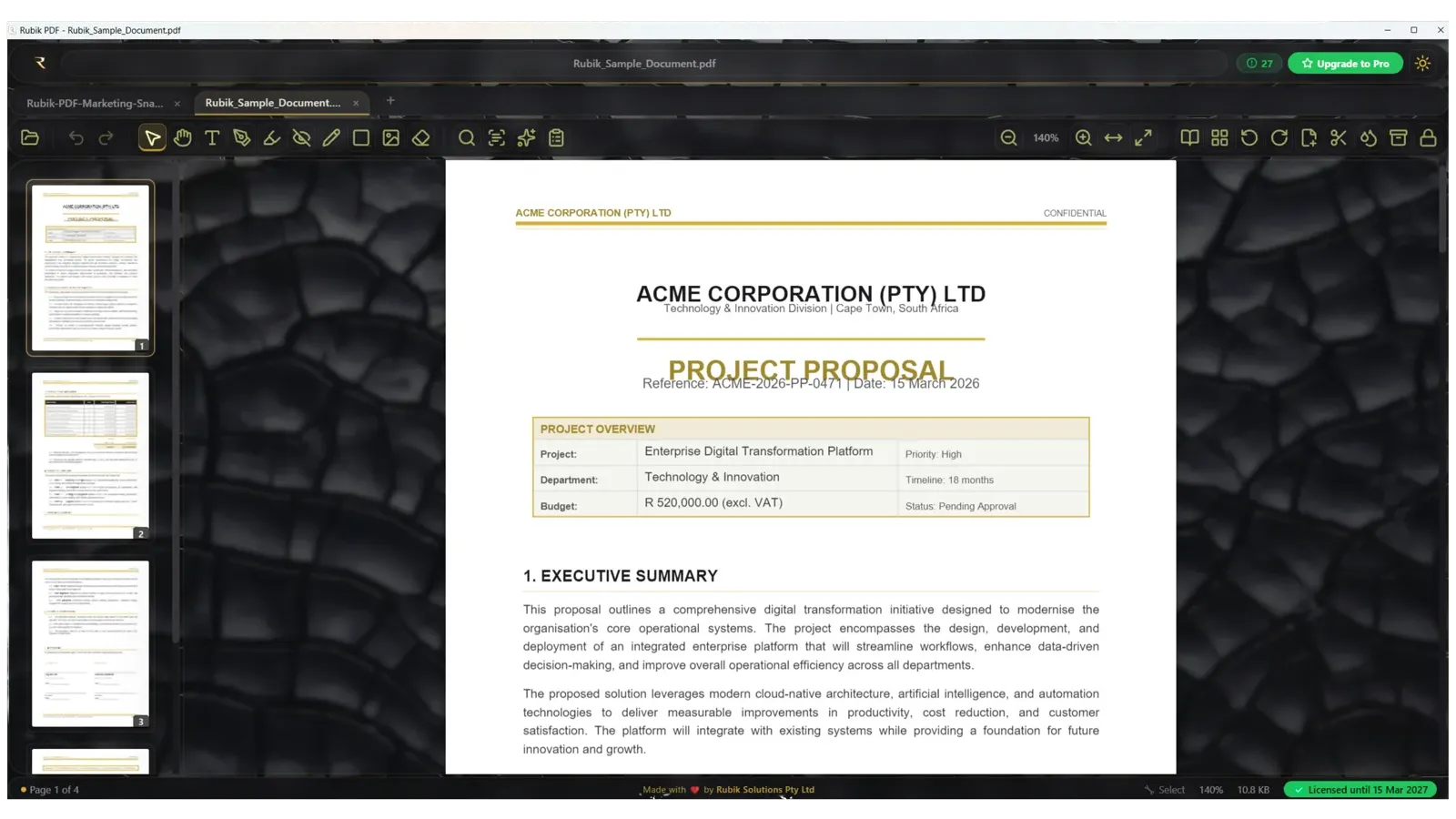
Everything you need from a PDF editor. Nothing you pay extra for.
Edit existing text
Click any line in the PDF and retype it. Fix typos without going back to Word.
Offline OCR
Turn whole scanned documents into searchable, selectable text. No internet needed.
True redaction
Black out sensitive text and it is permanently removed from the file, not just covered.
Signatures & stamps
Draw, type or reuse signatures, plus Approved, Paid, Received and other date stamps.
Highlight & comment
Highlight, underline or strike out selected text and add sticky notes that open in Acrobat.
Fill any form
Text fields, checkboxes, radio buttons and dropdowns fill and save correctly.
Organise pages
Insert, extract, crop, rotate, reorder, split and merge, keeping bookmarks and forms.
Headers & Bates
Headers, footers, page numbers and Bates numbering across any page range.
Passwords kept
Protect with AES-256. Protected files stay protected when you save your edits.
Export & create
Export pages as images or text, and build PDFs from photos and scans.
A better reader
Fast with huge files, bookmarks, clickable links, full screen and night reading.
AI tools (Pro)
Document summaries and AI background removal on a monthly token allowance.
Want to see it first? Open the interactive demo →
Simple, honest pricing. Every plan starts with a free trial.
14 days
- Full PDF editor
- Annotation & signatures
- Merge, split & compress
- Forms, OCR & search
- No card required
For regular PDF work
- Everything in the editor
- 30 AI tokens / month
- 5 AI background removals
- 5 document summaries
For power users & teams
- Everything in Standard
- 100 AI tokens / month
- 20 AI background removals
- 30 document summaries
- Top-ups from R29
Rubik PDF for Windows
Version 2.3.0 · Windows 10 and later · about 115 MB. Code-signed by Rubik Solutions (Pty) Ltd and works offline once installed.
Browser or SmartScreen warning?
New software can show a warning until Microsoft builds its reputation. In your browser choose Keep; on the blue SmartScreen window click More info, then Run anyway. The installer is digitally signed by Rubik Solutions.
Create your account
Register, verify your email, then sign in to the app.
Questions, answered.
What happens after the trial?
After 14 days you subscribe to keep editing. Your documents and settings are kept.
Can I use it offline?
Yes. The app works fully offline and validates your licence periodically when you are connected.
How do I pay?
Visa, Mastercard and other major cards through our secure payment gateway, from inside the app.
Is there a refund policy?
Yes: a full refund within 7 days of your first payment if you are not satisfied.
Have something worth building?
Talk or type to our AI project desk, attach drawings or documents, and it builds a complete brief for our team in minutes.